
Linux desktop PCs cross 5% market share threshold for the first time ever. Isn’t Windows 11 the worst OS ever produced by Microsoft? That question has become increasingly common among frustrated Windows users who feel pushed toward Linux because of hardware requirements, privacy concerns, advertisements, and changing Microsoft policies.
But the reality is more complicated.
Linux reaching a new desktop milestone is significant. It shows that more users are willing to explore alternatives outside the traditional Windows ecosystem. However, declaring Windows 11 the “worst OS ever” ignores the bigger picture. Every Microsoft operating system has had controversial moments, from Windows Vista’s performance problems to Windows 8’s radical interface changes.
This article examines why Linux desktop adoption is growing, why Windows 11 receives criticism, and whether switching away from Microsoft’s latest operating system actually makes sense for everyday users, gamers, and professionals.
Why Linux Desktop PCs Have Crossed the 5% Market Share Threshold for the First Time Ever
The rise of Linux on desktop computers did not happen overnight. For years, Linux dominated servers, cloud infrastructure, and developer environments while remaining a niche choice for personal computers.
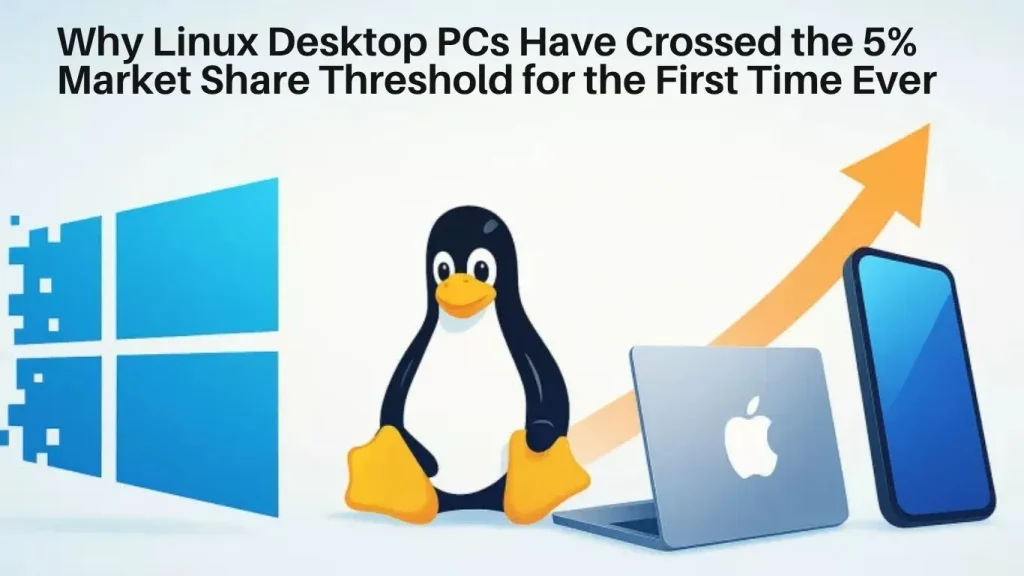
The recent growth comes from several changes:
- Better user-friendly distributions such as Ubuntu, Linux Mint, and Fedora
- Improved hardware compatibility
- Growing privacy awareness
- More gaming support through tools like Proton
- Frustration with Windows 11 requirements and policies
For many users, Linux is no longer viewed as a complicated operating system that requires constant command-line work. Modern Linux distributions can provide a desktop experience that feels familiar to Windows users.
A person browsing the web, writing documents, watching videos, or managing files may not notice a huge difference after moving from Windows to a beginner-friendly Linux distribution.
However, market share alone does not mean Linux has replaced Windows. Windows still dominates gaming, enterprise environments, corporate software, and many professional workflows.
Why Are People Calling Windows 11 the Worst Microsoft Operating System?
The claim that Windows 11 is the worst OS ever produced by Microsoft usually comes from user frustration rather than technical measurements.
Windows 11 has introduced several controversial changes that have upset long-time Windows users.
1. Strict Hardware Requirements
One of the biggest complaints is Microsoft’s decision to require newer hardware.
Windows 11 officially requires:
- TPM 2.0
- Secure Boot capability
- Supported processors
- Specific system requirements
Many perfectly functional computers running Windows 10 were blocked from receiving an official Windows 11 upgrade.
For users with older but capable PCs, this felt unnecessary. A machine that could easily browse the web, edit documents, and stream videos suddenly became “unsupported.”
Microsoft argues that these requirements improve security through features like hardware-based encryption and protection against firmware-level attacks.
From a security perspective, the requirements make sense. From a user’s perspective, forced hardware replacement feels wasteful.
Windows 11 Privacy Concerns and Built-In Services
Privacy is another major reason some users are exploring Linux.
Windows 11 includes several Microsoft services:
- OneDrive integration
- Microsoft account requirements during setup
- Diagnostic data collection
- Personalized recommendations
- Widgets and online services
Many users dislike the feeling that the operating system is becoming more connected to Microsoft’s ecosystem.
Some privacy-conscious users prefer Linux because many distributions allow greater control over:
- Updates
- Background services
- Data collection
- Default applications
That does not mean Windows 11 is automatically unsafe. Microsoft provides extensive security tools, including:
- Microsoft Defender Antivirus
- Secure Boot
- Windows Hello
- BitLocker encryption
- Virtualization-based security
The difference is mainly about control and user choice.
Windows 11 Interface Changes That Frustrate Long-Time Users
Windows users often develop strong habits over many years.
Changing familiar workflows can create unnecessary frustration.
Some common complaints include:
- Centered Start menu
- Reduced taskbar customization
- Simplified right-click menus
- Removed classic features
- More Microsoft account integration
For example, many power users disliked the redesigned context menu because frequently used options require an additional click through “Show more options.”
Microsoft has restored and improved some features through updates, but some users still prefer the flexibility of older Windows versions.
Is Linux Actually Better Than Windows 11?
The answer depends on what you use your computer for.
Linux offers advantages, but it also has limitations.
Where Linux Has an Advantage
Better Control Over the Operating System
Linux gives users more control over almost every part of the system.
Users can choose:
- Desktop environments
- Update schedules
- Default applications
- System behavior
Someone who enjoys customizing their computer can make Linux feel completely personal.
Lower Hardware Requirements
Many Linux distributions run well on older hardware.
A 10-year-old laptop that struggles with Windows 11 may still provide a smooth experience with lightweight Linux versions.
Examples include:
- Linux Mint XFCE
- Lubuntu
- Xubuntu
This makes Linux attractive for users trying to extend the life of existing hardware.
Strong Developer Environment
Linux remains extremely popular among developers because of:
- Native programming tools
- Powerful terminals
- Package managers
- Server compatibility
Developers working with containers, cloud platforms, and open-source software often prefer Linux.
Where Windows 11 Still Beats Linux
Despite criticism, Windows 11 remains the better choice for millions of users.
Gaming Compatibility
Gaming is still Windows’ strongest advantage.
Windows supports:
- DirectX 12 Ultimate
- Almost every major PC game
- NVIDIA and AMD gaming features
- Game launchers from major publishers
Linux gaming has improved significantly through Steam Proton, but some competitive games with anti-cheat systems still do not work properly.
A gamer who plays titles like competitive shooters or games requiring specialized launchers may have fewer problems staying with Windows.
Professional Software Support
Many industries rely on Windows-only applications.
Examples include:
- Adobe Creative Cloud
- Microsoft Office enterprise environments
- AutoCAD
- Specialized business software
Although alternatives exist, switching platforms can create compatibility problems.
A graphic designer, architect, or corporate employee may lose productivity by moving away from Windows.
Hardware Compatibility
Windows receives direct support from nearly every hardware manufacturer.
Printers, scanners, gaming accessories, business laptops, and specialized devices usually have Windows drivers first.
Linux support has improved, but some hardware still requires manual configuration.
Windows 11 vs Linux: Which Operating System Should You Choose?
The best choice depends on your priorities.
| User Type | Better Choice |
|---|---|
| Casual web user | Either Windows 11 or Linux |
| PC gamer | Windows 11 |
| Developer | Linux or dual boot |
| Business user | Windows 11 |
| Privacy-focused user | Linux |
| Old hardware owner | Linux |
| Creative professional | Windows 11 |
There is no universal winner.
Linux gaining market share does not automatically prove Windows 11 failed. It shows that more users now have a realistic alternative.
How to Decide If You Should Switch From Windows 11 to Linux
Before replacing Windows completely, test Linux first.
Step-by-Step: Try Linux Without Removing Windows 11
Step 1: Check Your Hardware
Before installing Linux:
- Note your CPU model
- Check RAM capacity
- Check available storage
- Confirm Wi-Fi and graphics compatibility
Most modern hardware works, but checking compatibility prevents surprises.
Step 2: Choose a Beginner-Friendly Linux Distribution
Good starting options include:
- Linux Mint
- Ubuntu
- Fedora Workstation
Windows users often find Linux Mint familiar because of its traditional desktop layout.
Step 3: Create a Bootable USB Drive
Download the Linux ISO file and create a bootable USB drive using tools such as:
- Rufus
- Balena Etcher
A USB drive of at least 8GB is recommended.
Step 4: Test Linux Without Installing
Most distributions provide a “Live” mode.
This allows you to test:
- Wi-Fi
- Bluetooth
- Sound
- Graphics
- Applications
without changing your existing Windows installation.
Step 5: Consider Dual Booting
Dual boot allows both operating systems on one computer.
For example:
- Windows 11 for gaming and work software
- Linux for development and privacy-focused tasks
Before modifying partitions:
- Create a backup
- Create a Windows recovery drive
- Make sure important files are stored elsewhere
Partition changes can cause data loss if something goes wrong.
Should Windows Users Abandon Windows 11?
Not necessarily.
Windows 11 has genuine weaknesses:
- More online integration
- Less customization
- Strict hardware requirements
- Increased Microsoft service integration
But it also improves important areas:
- Better security features
- Improved memory management
- Modern hardware support
- Strong gaming compatibility
Calling Windows 11 the worst Microsoft operating system is mostly a matter of personal experience.
Windows Vista had major performance complaints. Windows 8 confused users with its tablet-focused design. Windows 11 has created frustration around control and requirements.
Each generation solves some problems while creating new debates.
The Real Reason Linux Is Growing
The biggest story is not that Windows 11 is failing.
The bigger story is that Linux has finally become accessible enough for average users.
Years ago, switching to Linux often required technical knowledge. Today, many distributions offer:
- Easy installation
- Modern desktop interfaces
- Software stores
- Automatic updates
- Better hardware support
The growth of Linux gives users more choice.
Competition benefits everyone. Windows developers have more pressure to improve user experience, while Linux developers have more motivation to polish desktop usability.
Conclusion: Linux Growth Does Not Mean Windows 11 Is a Disaster
Linux desktop PCs have crossed the 5% market share threshold for the first time ever, and that achievement deserves attention. It proves that users are actively looking for alternatives and value control, privacy, and flexibility.
However, the idea that Windows 11 is the worst OS Microsoft has ever created is too simple. Windows 11 has frustrating decisions, but it also delivers strong security, compatibility, and gaming support.
The smartest approach is not choosing an operating system based on online arguments. Choose based on your workflow.
If you need maximum compatibility, gaming support, and business software, Windows 11 remains the practical option.
If you want customization, privacy, and more control over your computer, Linux is now a serious competitor.
The biggest winner from Linux’s growth may be the users themselves, because having more choices forces every operating system to become better.
FAQ Section
Is Linux better than Windows 11?
Linux is better for users who value customization, privacy, and control. Windows 11 is better for gaming, professional software compatibility, and hardware support.
Why is Linux desktop market share increasing?
Linux desktop adoption is increasing because of improved usability, better hardware support, privacy concerns, and frustration with Windows 11 requirements.
Is Windows 11 really the worst Microsoft operating system?
No. Windows 11 has received criticism, but whether it is the “worst” depends on personal experience. Older versions like Windows Vista and Windows 8 also faced major criticism.
Can I install Linux alongside Windows 11?
Yes. You can install Linux using dual boot, allowing you to choose between Windows 11 and Linux when starting your PC.
Should I switch from Windows 11 to Linux?
Switch if your priorities are privacy, customization, or using older hardware. Stay with Windows 11 if you rely on gaming, Adobe applications, enterprise tools, or specialized software.
Also Read: