
If you are wondering, “Is it still safe to use Windows 10 after support ended?”, you are not alone. Millions of people around the world still use Windows 10 every single day. It’s fast, familiar, and works well on older computers. But once Microsoft ends support, many users become worried about security, viruses, and whether their PC will still work properly.
The short answer is: Yes, you can still use Windows 10 after support ends, but it comes with risks.
In this guide, we’ll explain everything in the simplest way possible. No confusing tech words. Just real answers that help you decide what’s best for your computer and your safety online.
What Does “Windows 10 Support Ended” Mean?
When Microsoft ends support for an operating system, it means:
- No more security updates
- No more bug fixes
- No more technical support
- No new features
Your computer will still turn on and work normally. You can still browse the internet, watch videos, use apps, and play games. But the big problem is that your PC becomes more vulnerable to hackers and malware over time.
Think of it like this:
Your computer is a house. Security updates are like locks on your doors. Once support ends, Microsoft stops improving those locks. The house still stands, but it becomes easier for bad people to break in.
When Does Windows 10 Support End?
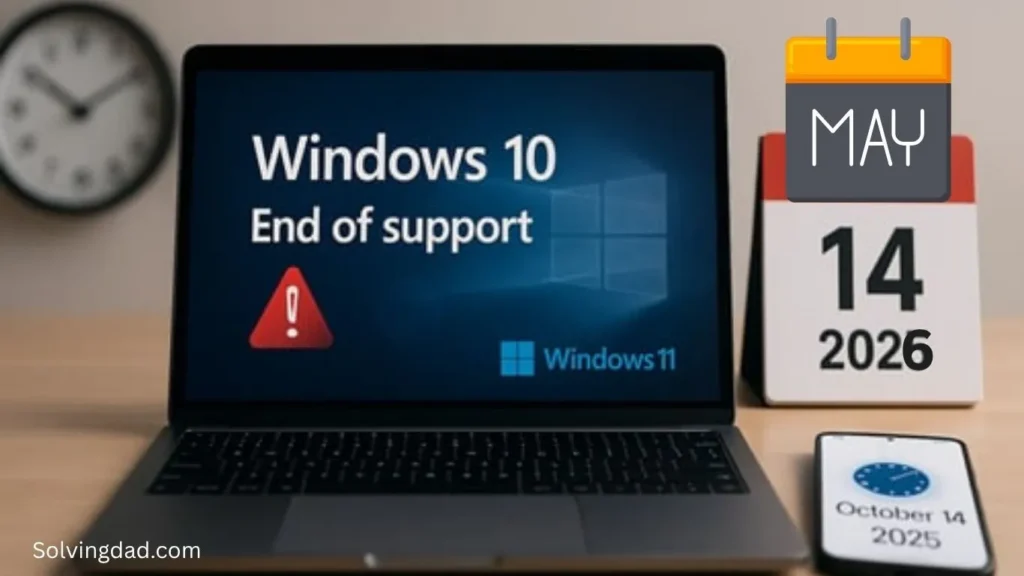
Microsoft has officially announced that support for Windows 10 ends on October 14, 2025.
After this date, regular users will no longer receive free security updates.
Is It Still Safe to Use Windows 10 After Support Ended?
Now let’s answer the big question directly.
Yes, But Only If You’re Careful
Using Windows 10 after support ends is not instantly dangerous. Your computer won’t suddenly stop working the next day.
However, over time, security risks will grow because:
- New viruses will appear
- Hackers will target unsupported systems
- Security holes will stay unpatched
If you continue using Windows 10, you must be extra careful online.
What Risks Do You Face?
Here are the biggest dangers of using unsupported Windows 10.
1. Security Vulnerabilities
Without updates, hackers can exploit weaknesses in the system.
This could lead to:
- Stolen passwords
- Banking fraud
- Identity theft
- File encryption by ransomware
2. Apps May Stop Working
Over time, some software companies may stop supporting Windows 10.
Apps like:
- Browsers
- Antivirus tools
- Video editing software
- Games
may eventually require newer versions of Windows.
3. Drivers and Hardware Problems
New printers, graphics cards, and accessories may not work properly with an unsupported operating system.
4. Online Banking and Shopping Risks
If your PC is insecure, using online banking or shopping websites becomes riskier.
Hackers often target older systems because they know security patches are missing.
Who Can Still Safely Use Windows 10?
Some users can continue using Windows 10 for a while if they follow good safety practices.
You may be okay if:
- You only use the PC offline
- You use it for basic tasks
- You have strong antivirus software
- You avoid risky downloads
- You don’t store sensitive information
For example, an old family computer used only for movies or schoolwork may still be fine.
How to Stay Safe on Windows 10 After Support Ends
If upgrading is not possible right now, don’t panic. Here are smart ways to reduce risks.
1. Use a Strong Antivirus
Install trusted antivirus software and keep it updated.
Good options include:
- Microsoft Defender
- Bitdefender
- Norton 360
A good antivirus can block many threats before they harm your system.
2. Keep Your Browser Updated
Your browser is your main connection to the internet.
Use updated browsers like:
- Google Chrome
- Mozilla Firefox
- Microsoft Edge
Avoid outdated browsers because they are easier to attack.
3. Don’t Download Random Files
This is one of the biggest reasons people get viruses.
Avoid:
- Cracked software
- Unknown websites
- Suspicious email attachments
- Fake download buttons
If something feels shady, don’t click it.
4. Backup Your Important Files
Always keep copies of:
- Photos
- Videos
- Documents
- Work files
Use:
- External hard drives
- USB drives
- Cloud storage
This protects you if your computer gets infected.
5. Use a Standard User Account
Avoid using the administrator account for daily work.
A standard account limits what malware can do if it enters your system.
Should You Upgrade to Windows 11?
For most users, upgrading to Windows 11 is the safest long-term option.
Benefits include:
- Better security
- Ongoing updates
- New features
- Improved performance
But there’s one problem:
Not all older computers support Windows 11.
Microsoft has stricter hardware requirements, including:
- TPM 2.0
- Newer processors
- Secure Boot support
If your PC is too old, you may need a newer computer.
What If Your PC Can’t Run Windows 11?
You still have options.
Option 1: Continue Using Windows 10 Carefully
This works best for:
- Basic home users
- Offline computers
- Temporary use
Just follow strong security habits.
Option 2: Switch to Linux
Some people move to Linux because it is:
- Free
- Lightweight
- Secure
Popular beginner-friendly Linux systems include:
- Ubuntu
- Linux Mint
Linux can make older computers feel fast again.
Option 2: Switch to Linux
Some people move to Linux because it is:
- Free
- Lightweight
- Secure
Popular beginner-friendly Linux systems include:
- Ubuntu
- Linux Mint
Linux can make older computers feel fast again.
Black Screen After Login in Windows 10? Simple Ways to Fix It (2026 Guide)
Can You Pay for Extended Windows 10 Security Updates?
Yes.
Microsoft may offer paid Extended Security Updates (ESU) for businesses and some users.
These updates provide:
- Critical security patches
- Limited protection after support ends
However, this is usually more useful for companies than normal home users.
What Happens If You Ignore the End of Support?
Nothing immediate happens.
Your PC will still:
- Turn on
- Open programs
- Connect to the internet
But slowly:
- Security risks increase
- Software support fades away
- Compatibility problems grow
It’s similar to driving an old car without maintenance. It may work today, but problems become more likely over time.
Windows 11 Taskbar Icons Not Showing? Try These Quick Solutions (2026 Guide)
Is Windows 10 Still Good in 2026 and Beyond?
Honestly, Windows 10 is still a solid operating system. Many people even prefer it over Windows 11 because it feels simpler and more familiar.
But the real issue is not performance.
The issue is security.
An unsupported operating system becomes harder to trust for important tasks like:
- Online banking
- Business work
- Storing private information
For casual use, it may still work fine for years. For sensitive tasks, upgrading is strongly recommended.
File Explorer Search Not Working in Windows 11 – Easy Fix Guide
Final Verdict
So, is it still safe to use Windows 10 after support ended?
The answer is:
- Yes for short-term or basic use
- No for long-term secure computing
If you continue using Windows 10:
- Keep your antivirus updated
- Avoid risky websites
- Backup your files
- Stay cautious online
But if possible, moving to Windows 11 or another supported operating system is the smartest choice for long-term safety.
Should I upgrade to Windows 11 or stay on Windows 10?
FAQs
Will Windows 10 stop working after support ends?
No. Windows 10 will continue working normally, but it will no longer receive security updates from Microsoft.
Can I still use Chrome on Windows 10 after support ends?
Most likely yes, at least for some time. However, browser companies may eventually stop supporting Windows 10 in the future.
Is Windows 11 safer than Windows 10?
Yes. Windows 11 includes newer security features and ongoing support from Microsoft.
Can hackers target unsupported Windows 10 PCs?
Yes. Unsupported systems are more vulnerable because security flaws are no longer patched.
Should I upgrade immediately?
Not necessarily. If your PC still works fine, you can continue using Windows 10 carefully for some time. But upgrading is the safest long-term solution.